
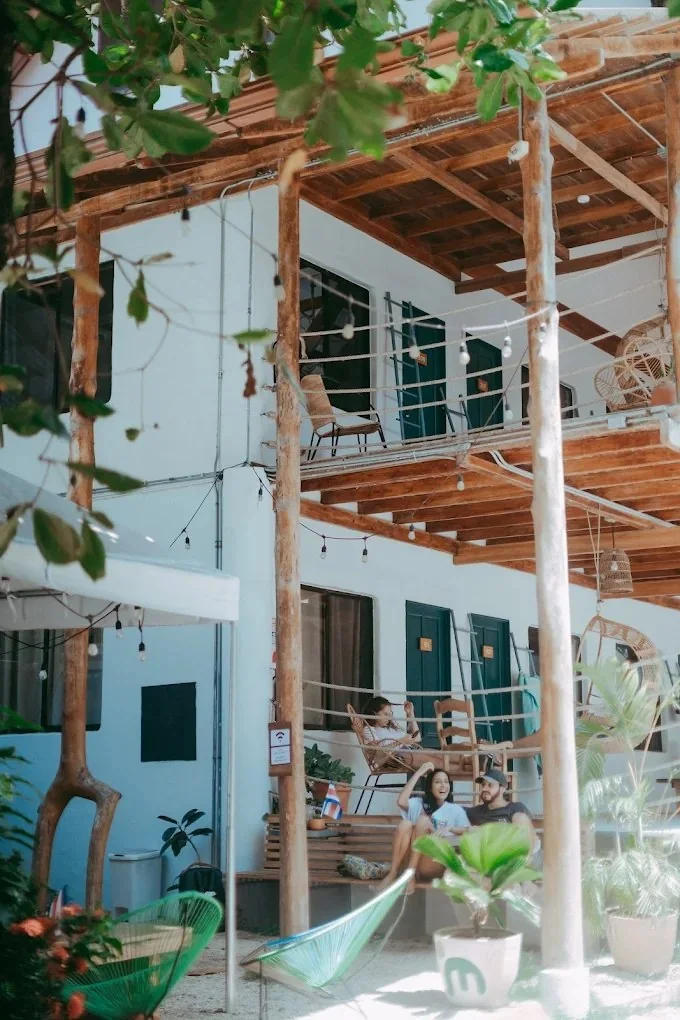
Armonia Santa Teresa’s building and terraces. Image source: View original photo.
The right coworking space in Santa Teresa depends on the work you need to do. A quiet seat for writing is different from a private room for client calls. Describe your workday first, then ask about a day pass or the access included with accommodation before committing to a longer stay.
When these details were checked
Business websites and published listings were checked on October 8, 2026. Menus and access arrangements can change; the links beside each business show the basis for its inclusion. Where current prices or access could not be verified, the entry says so.
Describe your workday first
List the tasks your workday depends on: calls, uploads, focused desk time or a private meeting. Then add preferences such as outdoor space or a café. This makes it easier to see which features are essential.
This produces a better comparison than asking which place has the fastest advertised internet. A very fast connection in a noisy communal room can still be the wrong workspace for your day.
Five workspace locations to compare
This list covers five locations operated by four businesses: Outsite has two separate properties. Coworking passes and workspaces included with accommodation are different products, so start with the access column.
| Location | Published workspace information | Access to confirm |
|---|---|---|
| Armonia | Coworking with day-pass and membership options | Current pass, desk availability and call-room terms |
| Sundays Cowork | Its Coworker listing describes desks, a phone booth and a meeting room | Current day, week or month arrangement |
| Casa Calocita | Accommodation with a coworking space | Whether non-residents can use it and on what terms |
| Outsite Santa Teresa Playa | A coliving property with shared workspace | Stay requirements and workspace access |
| Outsite Santa Teresa Maramar | A separate hillside coliving property with work areas | Accommodation terms and the actual commute |
Armonia and Sundays are the first enquiries to make when you already have accommodation and want a desk. Sundays’ facilities are described in a business listing; confirm the current arrangement through its operator profile before paying.
Casa Calocita is worth comparing when choosing accommodation and a workspace together. Its website describes internet backup and workspace equipment, but those descriptions are not independent reliability tests. Outsite Playa and Maramar likewise belong in a stay-and-work comparison unless the operator confirms outside access. Do not arrive expecting a public day pass at any of these accommodation properties.
No download-speed guarantee or current pass price is asserted here. The digital-nomad guide explains how the workspace decision fits the rest of a stay.
Ask questions tied to your tasks
| Work requirement | Specific question |
|---|---|
| Several video calls | Can I use a call room, and is booking or an extra charge required? |
| Confidential conversation | Is there a genuinely private room rather than a quiet corner? |
| Long laptop session | Is the desk and chair suitable for the time I need? |
| Reliable connection | Can I test my actual workflow before buying a longer package? |
| Power continuity | What happens during an interruption? |
| Flexible hours | When may a day-pass visitor enter and remain? |
| Team work | Are adjacent desks or a meeting room available? |
Test before extending
Use a single day or a permitted trial to check the workspace at the time you will normally work. Make a real call if appropriate, test the applications you need and notice noise and seating as well as speed.
A short speed test can miss interruptions, upload limitations or an unsuitable microphone environment. A positive test also does not guarantee every later day. Keep an alternative for critical commitments.
Café or coworking: which suits your tasks?
A café can suit a short email session if staff welcome laptop use and the space fits. It may not suit an all-day occupation of a table or a series of calls. Ask about the venue's expectations and order appropriately.
Do not treat purchasing one drink as a workspace membership. For a full workday, compare the complete café spending and compromises with a day pass rather than comparing the pass only with the price of a single coffee.
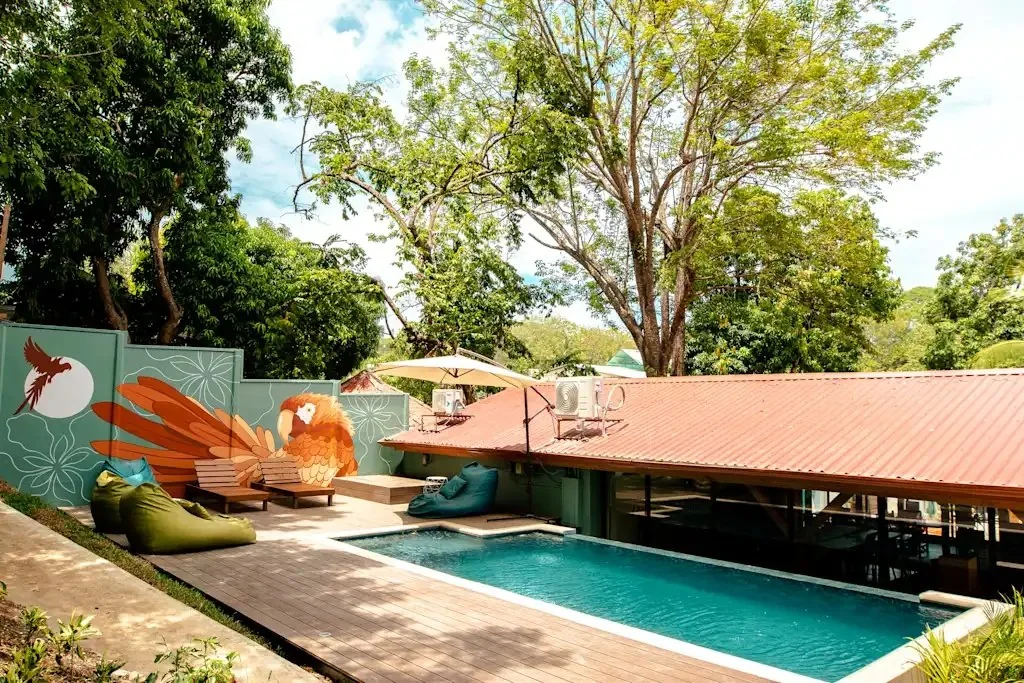
Include the commute
Choose a route that leaves you ready to work, with enough time before the first call. Protect the laptop and assess the bag before selecting transport. A large or awkward load may call for a transfer instead of a shared ride.
For an appropriate local journey, check the Bimba map and approved return point. Keep a fallback so a time-sensitive workday does not depend entirely on unreserved fleet availability.
A useful decision rule
Choose the least expensive arrangement that reliably meets the non-negotiable tasks. Pay for a private room when the work requires it; do not pay for extra facilities solely because they appear in the listing.
Use the first visit as a real workday
Bring an ordinary task: a document to finish, a file to upload or a call at the time you normally work. Try the chair and desk for more than a few minutes, and check where you can speak without disturbing others.
Ask whether booths or meeting rooms are included, reservable or charged separately. A good shared desk does not necessarily solve a confidential meeting. Check power access and the hours you can enter or remain in the space.
At the end, compare the full day: productive time, travel, food and any room charges. That is a better basis for a membership decision than the advertised desk rate alone.
For the next part of your plan, see our building a workation routine and checking a monthly rental.
Sort public passes from stay-included workspaces
Ask the access question before comparing desks. Armonia's own site explicitly advertises day passes and memberships for its coworking pavilion. Sundays' Coworker listing says day, week and month passes are offered, but a directory is not the operator's live checkout; verify current sales directly. Casa Calocita and the two Outsite properties publish workspace as part of accommodation. Their pages do not establish that someone staying elsewhere can buy a public day pass. If you already have a room, treat those three as a different category until the property confirms external access.
Do not interpret “workspace” as a promise of a private office. It may mean shared tables, an outdoor desk, a room desk or access only at certain hours. Ask whether the specific pass includes a chair, power, Wi-Fi, a call booth, meeting room, printing, food or a locker. If an amenity is only for residents or members, it should not be counted in a day visitor's comparison.
What each of the five locations helps you compare
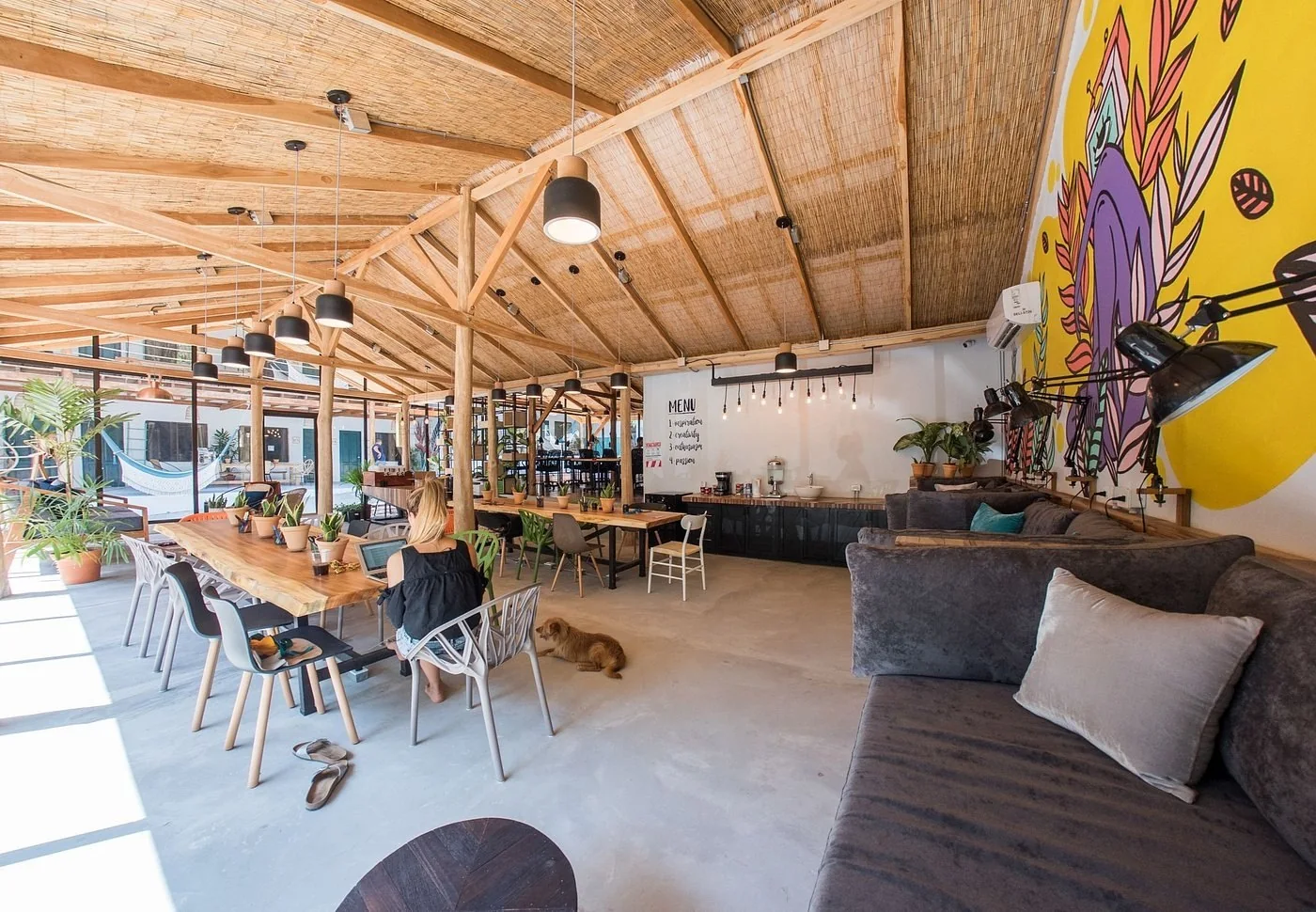
Armonia is a direct coworking enquiry: its site describes communal desks, call booths and meeting rooms, along with day-pass availability. Confirm current opening, price, booking and whether booth or room time costs extra. Sundays is another direct enquiry based on a published listing that describes hot desks and a phone booth; ask the operator whether the listing still reflects its present location and access. Neither page is an independent measurement of the connection during your actual work hours.
Casa Calocita is a stay-and-work option: it publishes a coworking space and an internet backup claim. Ask what a guest can use and whether any access is sold to non-guests. Outsite Playa advertises open-air coworking within a lodging property. Outsite Maramar describes work areas at a separate hillside property. The latter's own site warns that its approach is steep; if you are comparing accommodation, include the daily effort of reaching other parts of town. For both Outsite locations, check your exact room and workspace rights rather than treating the properties as one interchangeable product.
A 30-minute trial that answers real questions
When permitted, visit at the time you normally work. First, sit where you would actually sit and connect the laptop and phone. Open the tools you need and perform a normal task: upload a sample file, join a short test call or use the VPN your employer requires. Then listen to room noise and check whether you can be heard without raising your voice. A speed test is only one snapshot; it does not show call privacy, repeated disconnections or compatibility with your work setup.
Check the chair, desk height, glare on the screen, power outlet and airflow. Spend more than a few minutes there if you are considering a monthly pass. Ask staff what happens when the internet or electricity goes down and whether a backup is available to your access tier. A backup advertised on a property page is a claim to verify, not a guarantee of uninterrupted work. Note the route home after your normal finish time as part of the test.
Match calls to an actual room policy
A shared table can be excellent for quiet writing and poor for repeated client calls. Ask whether booths are first-come, reservable, time-limited or charged separately. For confidential work, inspect whether a door closes, whether conversations can be heard outside and whether the connection reaches that room. A headset improves your own listening but does not make a public table private. Confirm the policy for video calls before paying for a pass that you cannot use for your most important task.
If you work across time zones, translate your meeting schedule to Costa Rica local time before choosing a location. The workspace may close before your last call even if the pass is described as a “day.” Ask about entry and exit hours for visitors specifically, not only overnight guests. If a meeting room is necessary for a team, confirm capacity, booking lead time and the total room charge.
Compare the cost of a productive day
Build a simple total: pass or lodging premium, transport there and back, food, coffee, any call-room charge and tax. Divide by the useful hours you expect to work, not the hours the door is open. A café can be cheaper for a short email session but costly or unsuitable for a full day of calls. A day pass may be worth more if it lets you finish work reliably. A monthly membership makes sense only after checking how many days you will actually use it and whether booking rules fit your routine.
Ask whether daily passes are refundable, transferable or subject to capacity. If you will work only three days in a week, compare three daily entries with the weekly plan. If you are staying at a property with workspace included, calculate the full accommodation cost before calling that workspace “free.” The room, commute and work environment are one combined purchase.
Prepare a fallback for critical commitments
No workspace can promise that every future call will be uninterrupted. Save essential files offline where permitted, keep a charged phone and know whether your mobile data can provide a temporary backup. If you have a high-stakes meeting, test the location in advance and avoid arriving for the first time minutes before it starts. Confirm that your alternate connection is allowed by your employer's security rules.
Have a second location or a quiet accommodation option in mind, but verify access before you need it. A property coworking room restricted to guests is not a dependable fallback for an outsider. If weather affects an open-air desk, ask whether there is sheltered indoor seating. Build a schedule that allows a move without missing your first meeting.
Include the route and laptop load
A short map distance can still involve heat, rain, an uneven final path or a hill. Ask for the exact entrance and assess the route at the time you will travel. A Bimba trip can suit one eligible rider on a suitable local route when the app shows a vehicle and approved ride-ending point. Protect your laptop and use a bag you can safely carry. If the road, weather, bag or late return makes riding unsuitable, choose a walk, taxi or other appropriate option instead. A day pass does not reserve a vehicle for the commute.
Three example choices
For a day of mostly writing, prioritize a comfortable desk and quiet atmosphere; test one day before committing. For several confidential calls, verify an actual bookable room and its cost, then check the connection inside it. For a month-long stay, compare a guesthouse with included work area against separate accommodation plus public coworking, including transport and food. These examples are decision paths, not rankings of the five businesses or claims about live prices.
How to use the source list
Armonia, Casa Calocita and Outsite describe their own services. Sundays' facilities are represented in a third-party directory and its operator profile, so the current offering needs direct confirmation. Public pages can establish advertised access categories, but they cannot prove live seat availability, a particular day's connection quality or the final price for your dates.
Frequently asked questions
Is the biggest coworking space the best?
Size is not a complete measure of suitability. Your calls, privacy and schedule matter more.
Can I assume a hotel workspace accepts outsiders?
No. Confirm non-guest access and the current day-pass arrangement.
Should I buy a monthly pass before arriving?
Consider testing the actual location first, especially if your work has specific requirements.
Summary
The most useful coworking day pass is one that supports your actual work. Try the desk, connection and call setup during the hours you need them, then compare the full access cost. A short trial can give you better information for a longer commitment than a list of advertised amenities.
Test before committing
Buy one day first, run a real call and measure the full trip from your accommodation. Commit longer only after the workspace proves reliable for your specific work.
Sources and further reading
- armoniasantateresa.com — Website
- www.coworker.com — sundays cowork
- www.casacalocita.com — Website
- www.outsite.co — santa teresa playa
- www.outsite.co — santa teresa
- linktr.ee — thesundayslife
- gobimba.com — santa teresa digital nomad guide
- gobimba.com — playa santa teresa
- gobimba.com — santa teresa workation
- gobimba.com — monthly rental santa teresa checklist
- www.google.com — search